
How DigitalLinks Built a Course-Focused Growth Platform for Anees Driving School
DigitalLinks expanded a Northern Virginia driving school’s WordPress presence with detailed course landing pages, native Elementor layouts, search-focused content and clearer registration pathways for students and families.
WordPress • Elementor • SEO • Course Conversion
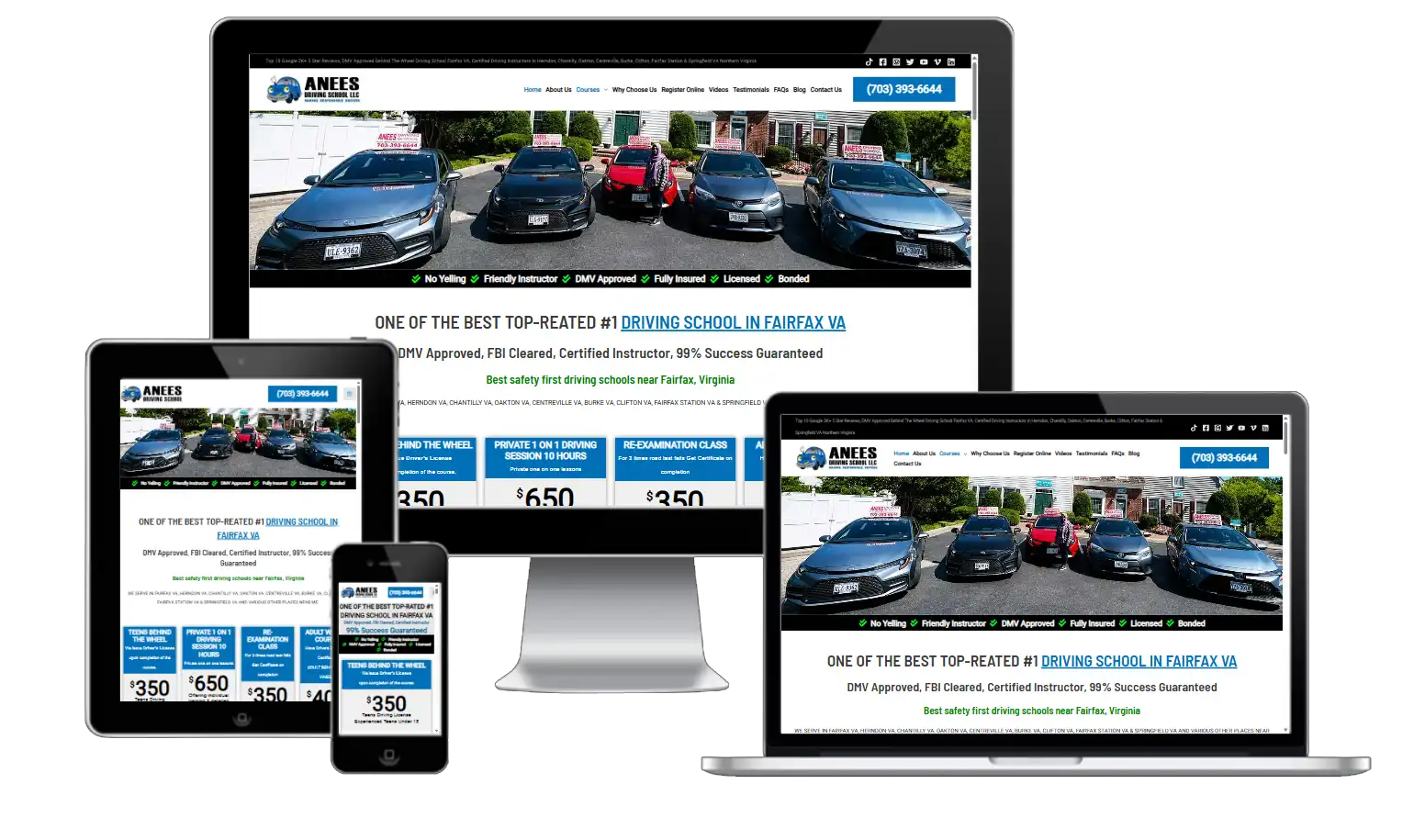
Anees Driving School
Fairfax & Northern Virginia
WordPress + Elementor Pro
Course Pages, SEO & Registration
A Recognized Driver-Education Business Serving Northern Virginia
Anees Driving School is a family-operated driver-training business serving Fairfax and surrounding Northern Virginia communities. Its website must support several audiences, including new drivers, parents, adults, students completing required programs and people searching for court- or DMV-related education.
That range of needs creates a demanding content challenge: every visitor needs to quickly identify the correct course, understand eligibility and requirements, and move confidently toward registration or contact.
Turning a Large Course Catalog Into Clear Search and Registration Journeys
The website needed more than general service descriptions. High-intent searches for specific Virginia driving programs required dedicated pages with accurate context, clear requirements, useful FAQs and strong calls to action.
The expansion also needed to remain easy for the business to update. A single locked design or page built entirely with custom HTML would have slowed future course updates and made mobile editing more difficult.
A Search-Intent and Course-Architecture Strategy
DigitalLinks organized the work around the questions students and parents ask before choosing a course, then translated those answers into dedicated, editable landing pages.
Course Intent Mapping
Separate pages were planned around distinct student needs rather than placing every program on one general page.
Original SEO Content
Each page received purpose-built copy covering eligibility, course structure, requirements, benefits and next steps.
Native Elementor Design
Flexbox Containers, Heading, Text Editor, Button, Icon Box and Accordion widgets keep the pages easy to edit.
Conversion Pathways
Registration and contact actions were positioned throughout the page instead of relying on one final button.
FAQ & Schema Planning
Frequently asked questions were structured for both student clarity and search visibility.
Internal Linking
Related programs and supporting information were connected to help users continue their decision journey.
What DigitalLinks Delivered
The project combined strategic planning, editable implementation and conversion-focused content across the most important customer touchpoints.
4-Hour RADEP Page
A dedicated page for visitors searching for the shorter Reckless & Aggressive Driver Education Program.
12-Hour RADEP Page
Detailed content for the longer court- or DMV-related program, including expectations and FAQs.
Driver’s Ed + Parent/Teen
A combined package page explaining the course relationship and parent/teen component.
Adult Waiver Course
Clear adult-driver content focused on eligibility, course value and registration.
Responsive Elementor Layouts
Editable containers and native widgets with desktop, tablet and mobile settings.
SEO & Conversion Support
Titles, headings, content depth, CTA placement and related-page recommendations.
What DigitalLinks Built
Each deliverable was designed to improve clarity, usability, search relevance and the path from visitor interest to a meaningful business action.
Course Pages Built Around Real Student Questions
Rather than repeating generic driving-school language, each course page addresses the reason a visitor is searching, what the program includes and what action should follow.
This improves both user confidence and topical relevance because the page can focus on one clear course intent.
- Distinct H1 and page topic
- Eligibility and requirement explanations
- Course features and expected outcomes
- Registration-focused calls to action
- Original FAQs for the specific program

Published Course Page Screenshot

EDITABLE ELEMENTOR SYSTEM
Native Elementor Pages Built for Easy Course Updates
Native Elementor Sections the Client Can Maintain
The pages use Elementor Flexbox Containers and native widgets so headings, descriptions, buttons, icons, spacing, colors and responsive settings remain directly editable.
Reusable page patterns also reduce the time required to publish future courses or update program details.
- Flexbox Containers
- Heading and Text Editor widgets
- Button and Icon Box widgets
- Accordion FAQs
- Separate mobile and tablet controls
A Better Path From Search Query to Registration
The project strengthens the connection between the search phrase, the landing-page promise and the registration action.
Internal links and repeated CTAs help visitors move from research to the appropriate next step without searching through the entire website.
- Search-intent alignment
- Descriptive internal links
- Course-specific CTA language
- FAQ and schema recommendations
- Clearer mobile reading experience

Registration Path Screenshot
A More Complete and Reusable Course-Marketing Foundation
The completed project established a stronger digital foundation for promoting individual driving courses, supporting student research and guiding visitors toward the appropriate registration path. Dedicated landing pages also make it easier to evaluate the visibility and engagement of each priority course independently.
Dedicated Landing Pages
Priority programs now have focused destinations instead of depending only on general course listings.
Clearer Student Journeys
Visitors can identify the relevant program, requirements and next action more efficiently.
Reusable Elementor System
The school can expand future course pages using the same editable native structure.
Broader Topical Coverage
Original program content gives search engines and students more complete course information.
PERFORMANCE MEASUREMENT
A Clear Framework for Tracking Course-Page Growth
The new course-page structure gives Anees Driving School a stronger foundation for measuring search visibility, student engagement, inquiries and registrations. Google Search Console, Analytics and enrollment data can now be reviewed by individual course page to guide future improvements.


TRANSFORMATION
True growth is the quiet result of consistency, strong systems, and genuine value.


A Clear Process From Discovery to Improvement
The project was organized around business needs, user intent, editable implementation and ongoing optimization.
Course Discovery
Reviewed programs, audiences, requirements and the existing registration journey.
Search Intent
Mapped each priority course to the questions and phrases prospective students use.
Content Build
Wrote original page copy, FAQs, headings and conversion messages.
Elementor Design
Built responsive native layouts with independently editable settings.
Publish & Expand
Launched pages, connected internal links and prepared the system for new courses.
Amazing Designs and Quality Work!
Services Used in This Project
Connect this case study to the DigitalLinks services most relevant to the project and the visitor’s next decision.
Web Design & Development
Responsive WordPress experiences built around customer action.
SEO Optimization
Search-focused page architecture, content and technical recommendations.
Local Listing Management
Local visibility support for service-area and location-based businesses.
Questions Prospective Clients Often Ask
These answers explain the project approach without promising identical results for every business.
Separate pages allow each program to answer its own eligibility, requirement and registration questions while targeting a clearer search intent.
Yes. The template uses Flexbox Containers and native Heading, Text Editor, Button, Image, Icon Box and Accordion widgets so sections can be edited without rebuilding custom code.
No. Search and enrollment results depend on competition, market demand, website history, content quality, authority and ongoing implementation.
Useful data includes Search Console clicks and impressions, course registrations, calls, form submissions, keyword visibility and engagement over a defined comparison period.
Build a Clearer Path From Search to Registration
DigitalLinks can review your course pages, website structure, local visibility and lead journey to identify the highest-priority growth opportunities.